Tips for Organizing a Productive Home Workspace
Creating a productive home workspace is essential for anyone working or studying from home. A well-organized area not only helps you focus but also sets the tone for a balanced work-life experience. Whether you have a dedicated room or a small corner, these tips can help you design a workspace that promotes efficiency and comfort.
1. Choose the Right Location
Consider Natural Light
Pick a spot near a window if possible. Natural light can boost your mood and reduce eye strain. Avoid placing your desk where glare might hit your computer screen.
Minimize Distractions
Select a quiet area away from heavy foot traffic or noise. This helps maintain focus throughout your workday.
Accessibility and Comfort
Ensure the space is easy to access and provides enough room for your essential equipment without feeling cramped.
2. Invest in Ergonomic Furniture
Your furniture plays a big role in your comfort and health.
– Desk: Choose a desk that fits your space and work style. Standing desks or adjustable desks can offer flexibility.
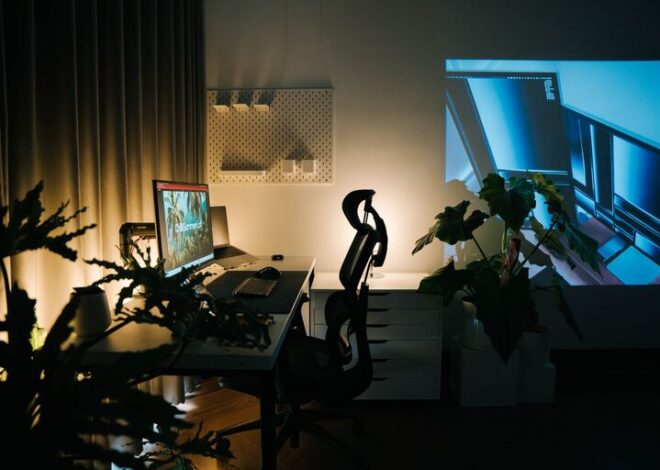
– Chair: Invest in a comfortable, adjustable chair with good lumbar support. Sitting properly helps avoid back pain.
– Monitor Setup: Position your monitor at eye level to prevent neck strain.
3. Declutter and Organize
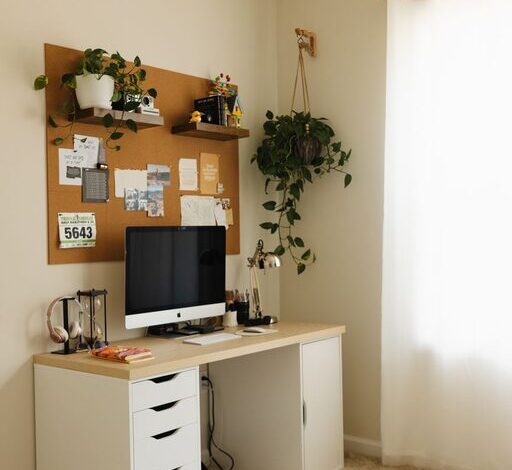
Keep Only Essentials on Your Desk
Remove unnecessary items. A clean desk can reduce mental clutter and help you focus.
Use Storage Solutions
– Drawer organizers, shelves, and bins keep supplies neat.
– Label containers for quick access.
– Cable management tools avoid tangled cords.
Digital Declutter
Organize your computer files and emails regularly to improve efficiency.
4. Personalize Your Space
Adding a few personal touches creates an inviting environment.
– Photos, plants, or artwork can make your space feel more welcoming.
– Use colors that energize or calm you depending on your preference.
– Avoid overdecorating to keep the space organized and distraction-free.
5. Establish a Routine and Boundaries
Set Work Hours
Define clear start and end times to maintain a healthy work-life balance.
Take Breaks
Schedule short breaks to stretch or rest your eyes. This increases productivity and reduces fatigue.
Separate Work and Leisure
When work ends, leave your workspace if possible to mentally disconnect.
6. Optimize Lighting and Temperature
Proper lighting reduces eye strain and helps keep you alert.
– Use a combination of natural light and task lighting, like desk lamps.
– Adjust the temperature to a comfortable level to maintain focus.
7. Use Technology Wisely
– Invest in reliable internet and devices to prevent technical disruptions.
– Use productivity apps to organize tasks and deadlines.
– Set up backups for your work to avoid data loss.
8. Maintain Cleanliness
Regularly clean your workspace to promote hygiene and a tidy atmosphere.
– Wipe surfaces, keyboard, and mouse.
– Dust shelves and electronic equipment.
– Keep trash bins nearby but emptied frequently.
—
Final Thoughts
Organizing a home workspace may take some effort initially, but the benefits are worth it. A dedicated, tidy, and comfortable workspace enhances your productivity and makes working from home a positive experience. Start with these tips and adjust your setup based on what works best for you.
By creating a space tailored to your needs, you’ll find it easier to stay focused, motivated, and efficient throughout your workday. Happy organizing!