Tips for Creating a Cozy and Functional Home Workspace
Creating a cozy and functional home workspace can greatly improve your productivity and overall comfort. Whether you work from home full-time or use your space occasionally, a well-designed area helps you stay focused while enjoying your surroundings. In this post, we’ll explore practical tips and ideas to help you build a workspace that is both inviting and efficient.
1. Choose the Right Location
Consider Natural Light
One of the first steps is choosing the best spot in your home. Ideally, pick a location that receives plenty of natural light. Natural light not only brightens the space but also boosts your mood and energy. Try to position your desk near a window if possible.
Minimize Distractions
Select an area that is quiet and has minimal foot traffic. Avoid spaces near televisions, busy rooms, or noisy appliances to help maintain focus throughout your workday.
2. Invest in Comfortable Furniture
Ergonomic Chair
A comfortable, ergonomic chair is essential. Since you’ll be spending hours seated, choose one that supports good posture, with adjustable height and lumbar support.
Appropriate Desk
Pick a desk that suits your work style. It should have enough surface area for your computer, documents, and other essentials without feeling cramped. If possible, consider adjustable desks that allow you to alternate between sitting and standing.
3. Optimize Lighting
Layer Your Lighting
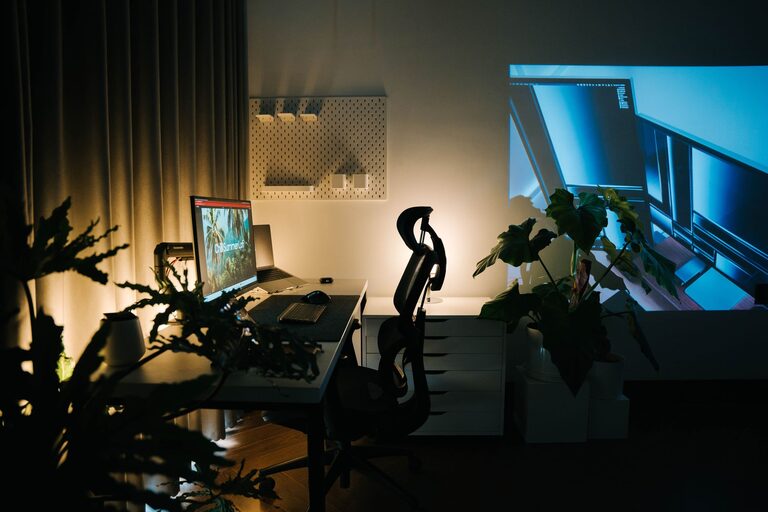
Combine different types of lighting for the best effect. Use ambient lighting to generally brighten the room, task lighting like desk lamps for focused activities, and accent lighting to add warmth.
Avoid Glare
Make sure monitors and screens aren’t positioned in a way that causes glare. Adjust blinds or curtains to control sunlight and reduce eye strain.
4. Keep It Organized
Use Storage Solutions
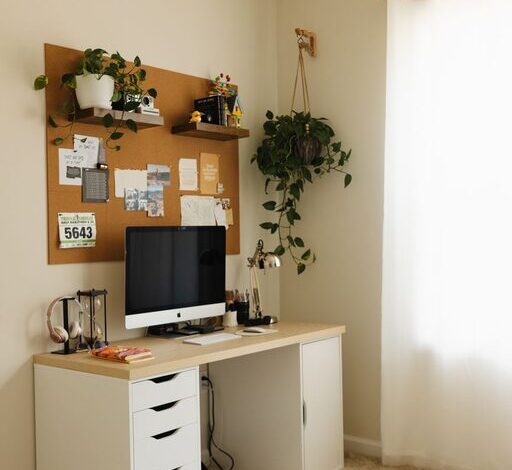
Clutter can quickly reduce the coziness and functionality of your workspace. Utilize shelves, filing cabinets, or storage bins to keep supplies and documents organized and out of sight.
Cable Management
Manage cables and cords with clips or cable trays to prevent tangling and maintain a neat appearance.
5. Personalize Your Space
Add Plants
Indoor plants can enhance both the look and feel of your workspace. They add a touch of nature, improve air quality, and create a calming atmosphere.
Decor and Colors
Incorporate colors and decor that inspire you but avoid overly bright or distracting patterns. Soft, neutral tones or your favorite calming colors can create a peaceful environment.
6. Incorporate Technology Wisely
Reliable Equipment
Ensure your computer, printer, and other devices are reliable and suited to your needs. Investing in quality tech can reduce frustration and downtime.
Consider Headphones
If you’re in a household with noise, noise-canceling headphones can help block distractions and keep you focused.
7. Take Breaks and Move Around
Designate a Stretch Area
If possible, allocate space nearby for stretching or short exercises. Taking breaks to move helps reduce muscle tension and refresh your mind.
Schedule Regular Breaks
Set reminders to take regular breaks throughout your workday. Step away from your desk to rest your eyes and stretch your body.
8. Maintain a Healthy Work-Life Balance
Separate Workspace and Leisure Areas
Try to physically separate your workspace from areas used for relaxation. This separation helps your brain associate your workspace with productivity, making it easier to switch between work and rest.
End-of-Day Ritual
Create a routine to signal the end of your workday—this can be as simple as turning off your computer, tidying your desk, or changing clothes.
—
By thoughtfully designing your home workspace with comfort and function in mind, you can create an environment where productivity and relaxation coexist. Implement these tips to make the most out of your work-from-home experience, and enjoy a space that supports both your professional tasks and well-being.