Tips for Creating a Comfortable and Productive Home Office Environment
Creating a home office that is both comfortable and productive can significantly improve your work-from-home experience. Whether you’re new to remote work or looking to upgrade your current setup, designing a space that supports focus, ergonomics, and organization makes daily tasks more enjoyable and efficient. In this post, we’ll explore practical tips to help you create a home office environment that enhances your well-being and productivity.
Choose the Right Location
Selecting the right spot for your home office is the first step toward a productive workspace.
– Quiet and Private: Find a space away from high-traffic areas to minimize distractions and noise.
– Natural Light: Position your desk near a window to take advantage of natural light, which can boost mood and reduce eye strain.
– Adequate Space: Ensure there’s enough room for your desk, chair, and any equipment you need without feeling cramped.
Invest in Ergonomic Furniture
Comfort plays a key role in maintaining productivity throughout the day.
– Ergonomic Chair: Choose a chair with adjustable height, good lumbar support, and comfortable cushioning to reduce back pain.
– Desk Height: Your desk should allow your elbows to rest at a 90-degree angle when typing.
– Monitor Position: Place your computer screen at eye level, about an arm’s length away, to prevent neck strain.
Optimize Lighting
Proper lighting affects your energy and focus levels.
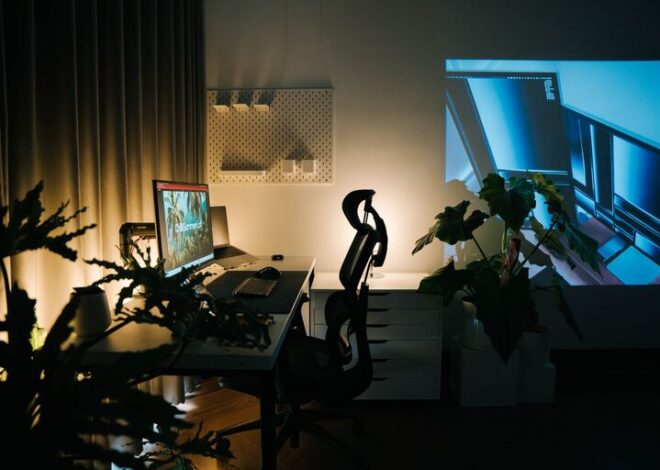
– Layered Lighting: Use a combination of ambient, task, and accent lighting to avoid harsh shadows and glare.
– Adjustable Desk Lamp: A lamp with adjustable brightness and direction helps when working on detailed tasks.
– Limit Screen Glare: Position monitors perpendicular to windows to minimize reflections.
Organize Your Workspace
A tidy desk creates a clear mind.
– Declutter Regularly: Keep only the essentials within reach and store the rest.
– Use Organizers: Utilize trays, drawer dividers, or desktop organizers for pens, papers, and devices.
– Cable Management: Use clips or sleeves to keep cords neat and prevent tangling.
Set Up Technology Efficiently
Reliable technology is critical for smooth workdays.
– High-Speed Internet: Ensure your connection is fast and stable to avoid interruptions.
– Dual Monitors: Consider using two screens to increase digital workspace and multitasking efficiency.
– Charging Station: Have a dedicated spot for charging devices to keep them accessible and powered.
Personalize Your Space
Adding personal touches can make your office inviting and motivating.
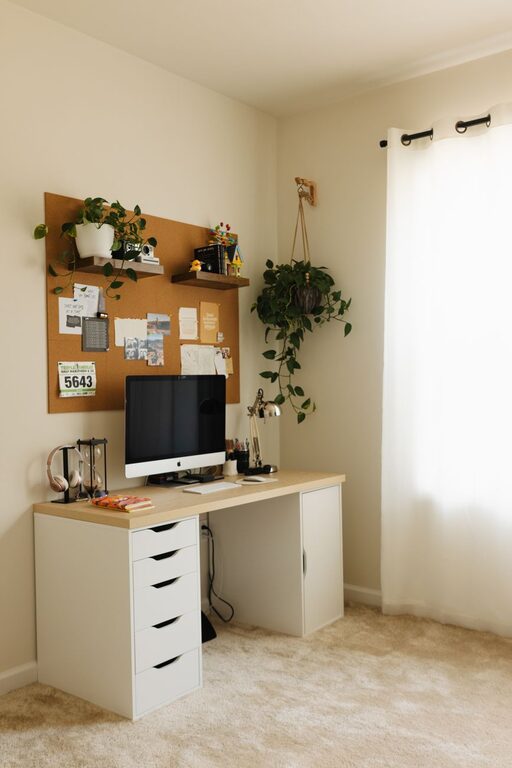
– Plants: Include greenery to improve air quality and reduce stress.
– Artwork or Photos: Decorate with images that inspire or relax you.
– Color Choices: Use colors that energize or soothe you — blues are calming, while yellows stimulate creativity.
Incorporate Break Areas
Taking breaks is essential for long-term productivity.
– Comfortable Seating: Have a small chair or couch nearby to sit away from your desk during breaks.
– Movement Opportunities: Consider a standing desk or space for stretching and exercises.
– Keep Hydrated: Keep water or your favorite drinks nearby to stay refreshed.
Establish Boundaries and Routine
Creating habits and limits can help separate work time from personal time.
– Set Work Hours: Define clear start and end times to your workday.
– Minimize Distractions: Use apps or settings to block non-work notifications during work hours.
– Communicate with Others: Let family or roommates know your schedule to avoid interruptions.
Maintain Proper Air Quality and Temperature
A comfortable environment supports concentration.
– Ventilation: Open windows regularly or use an air purifier.
– Temperature Control: Use fans, heaters, or air conditioning to maintain a comfortable room temperature.
Regularly Review and Adjust Your Setup
Your needs may change over time.
– Assess Your Comfort: Pay attention to any discomfort or productivity dips.
– Make Improvements: Adjust furniture, lighting, or organization as needed.
– Stay Updated: Keep up with new ergonomic tools or technologies that could improve your workspace.
—
Creating a comfortable and productive home office is about more than just aesthetics—it’s about designing a space that supports your wellbeing and work goals. By carefully choosing your location, investing in ergonomic furniture, optimizing lighting and organization, and personalizing your environment, you’ll set yourself up for success and satisfaction while working from home. Remember, your home office should serve you, so don’t hesitate to make changes as you discover what works best for you.