Tips for Creating a Cozy and Productive Home Office Space
Creating a home office that is both cozy and productive is essential for anyone working remotely or managing tasks from home. A well-designed space not only boosts efficiency but also promotes comfort, reducing stress and improving your overall work experience. Whether you have a dedicated room or a small corner, these tips will help you set up a home office that suits your needs and inspires you to get things done.
Choose the Right Location
Selecting the right spot for your home office is the foundation of a productive workspace. Consider these factors:
– Natural Light: Position your desk near a window if possible. Natural light can enhance mood and energy levels.
– Quiet Environment: Choose a quiet area away from household noise to minimize distractions.
– Space Requirements: Ensure there is enough room for your desk, chair, and necessary equipment.
– Privacy: If you share your home, find a place that offers privacy during important calls or deep-focus work.
Invest in an Ergonomic Chair and Desk
Your comfort is key to maintaining productivity throughout the day. Investing in ergonomic furniture helps prevent physical strain.
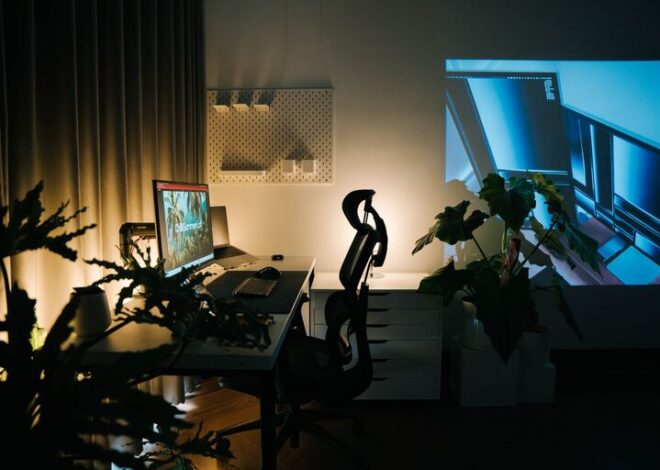
– Ergonomic Chair: Look for a chair with adjustable height, lumbar support, and comfortable cushioning.
– Desk Height: Choose a desk that allows your arms to rest comfortably at a 90-degree angle while typing.
– Standing Desk Options: Consider a sit-stand desk converter to switch between sitting and standing, promoting circulation and reducing fatigue.
Organize with Smart Storage Solutions
Clutter can distract and slow you down. Keeping your workspace tidy is easier when you have proper storage.
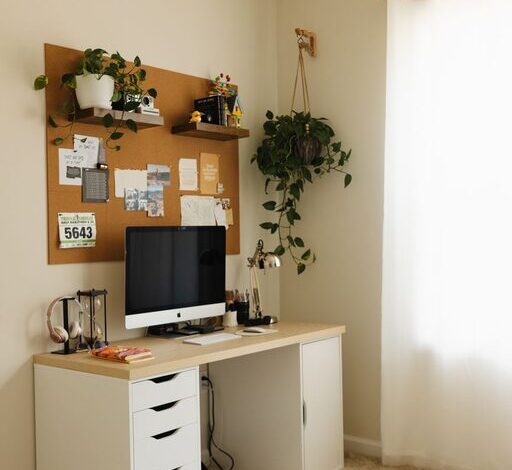
– Shelves and Cabinets: Use vertical space with shelves to store books, files, and decor.
– Desk Organizers: Keep pens, papers, and small accessories neatly in trays or drawers.
– Cable Management: Use clips or sleeves to bundle cords and reduce tangled messes.
Personalize Your Space
Adding personal touches can make your office feel inviting and boost your mood.
– Plants: Adding greenery can improve air quality and create a calming atmosphere.
– Artwork or Photos: Display inspiring images or personal photos to make the space your own.
– Lighting: Use soft, warm lamps or string lights for a cozy ambiance, supplementing overhead lighting.
Optimize Lighting
Good lighting reduces eye strain and helps maintain focus.
– Natural Light: As mentioned, maximize daylight.
– Task Lighting: Use adjustable desk lamps to illuminate your work surface.
– Avoid Glare: Position screens perpendicular to windows to prevent glare on monitors.
Set Up Technology Efficiently
Reliable and well-organized technology speeds up your workflow.
– High-Speed Internet: Ensure you have a strong connection for video calls and online tasks.
– Monitor Setup: Use external monitors or a laptop stand to improve screen visibility and posture.
– Keyboard and Mouse: Choose wireless options to reduce clutter and increase mobility.
Establish Daily Routines
Your environment sets the stage, but routines keep you on track.
– Regular Breaks: Stand, stretch, or walk every hour to maintain focus.
– Designated Work Hours: Clearly define when your workday starts and ends.
– Task Lists: Keep a to-do list or planner visible to track priorities.
Keep Comfort in Mind
Physical and mental comfort helps sustain productivity.
– Temperature Control: Use fans, heaters, or open windows to maintain a comfortable room temperature.
– Noise Control: Use noise-canceling headphones or soft background music if needed.
– Refreshment Station: Keep water, tea, or snacks nearby to stay hydrated and energized.
Use Color Wisely
Colors can affect mood and concentration.
– Calming Colors: Blues and greens can reduce stress.
– Creative Boost: Yellows and oranges may inspire creativity.
– Neutral Base: Whites or soft grays provide a clean, minimal backdrop.
Maintain Good Posture
Set up your workstation to support healthy posture.
– Monitor Height: The top of the screen should be at or slightly below eye level.
– Feet Position: Keep feet flat on the floor or on a footrest.
– Keyboard and Mouse: Keep them close to avoid reaching and straining.
Final Thoughts
Creating a cozy and productive home office is about balance. Prioritize comfort without sacrificing functionality, and customize your space to fit your unique work style. By thoughtfully arranging your workspace, managing clutter, and focusing on your well-being, you’ll create an environment where productivity and comfort go hand in hand. This investment in your workspace can make working from home a more enjoyable and effective experience.